

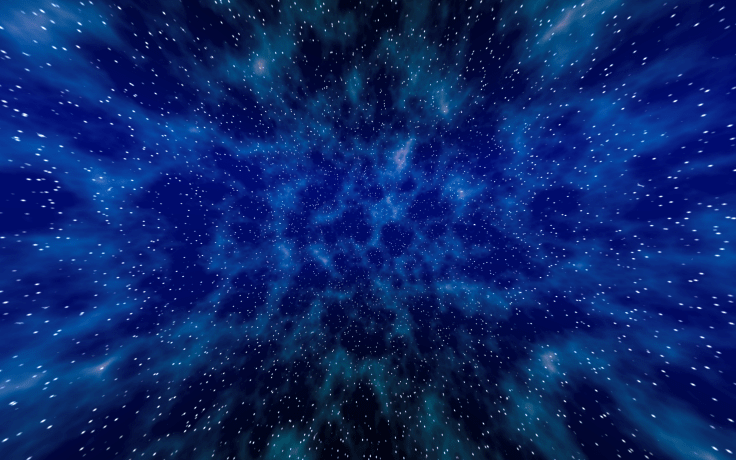
Simple plain deep blue space skybox cubemap for your creative ideas:

To use this cubemap texture in Unity as a skybox:
1. Click on the above cubemap image to open the full resolution version in a new tab and download it to your computer. The cubemap is 6 times 2048×2048 so it might take a while for it to load..
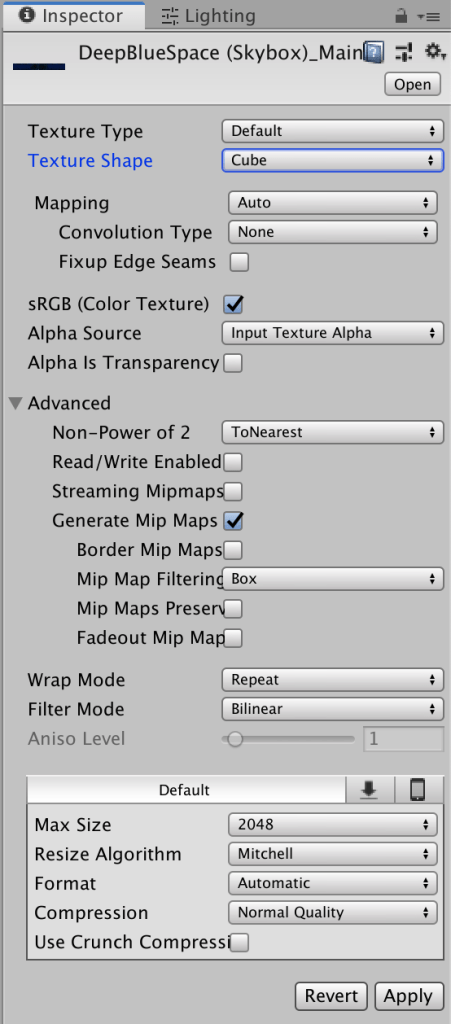
2. Import the cubemap image into your project and set the Texture Shape to Cube in the import settings:
2. Create a new material in the Project view, set the shader of the material to Skybox > Cubemap in the Inspector and drag the cubemap texture into the Cubemap slot:
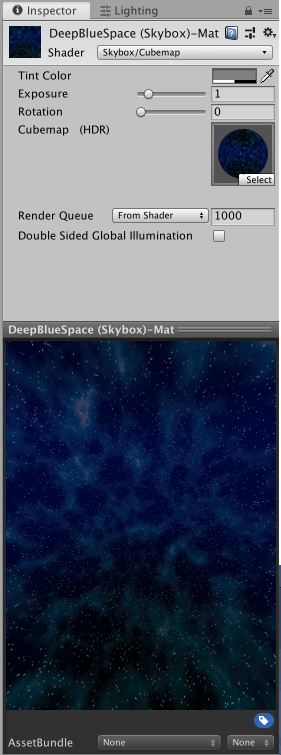
For a brighter or darker skybox you can adjust the material’s Exposure value, here it is set to two:
3. Open the scene’s Lighting settings window (menubar Window > Rendering > Lighting settings) and drag the skybox material into the Skybox Material slot:


BUY ME A COFFEE
Donate $5 to buy me a coffee so I have the fuel I need to keep producing great tutorials!
$5.00
Downloads
Deep-Blue-Space Procedural Cubemap Skybox Unity Package


 CosterGraphics