Unity Shader Graph Surface-Stable Fractal Dither
#Unity3D #🕶️Shaders #🧙♂️Fantasy #🧑🎨Art #🗿Sculptor #CG
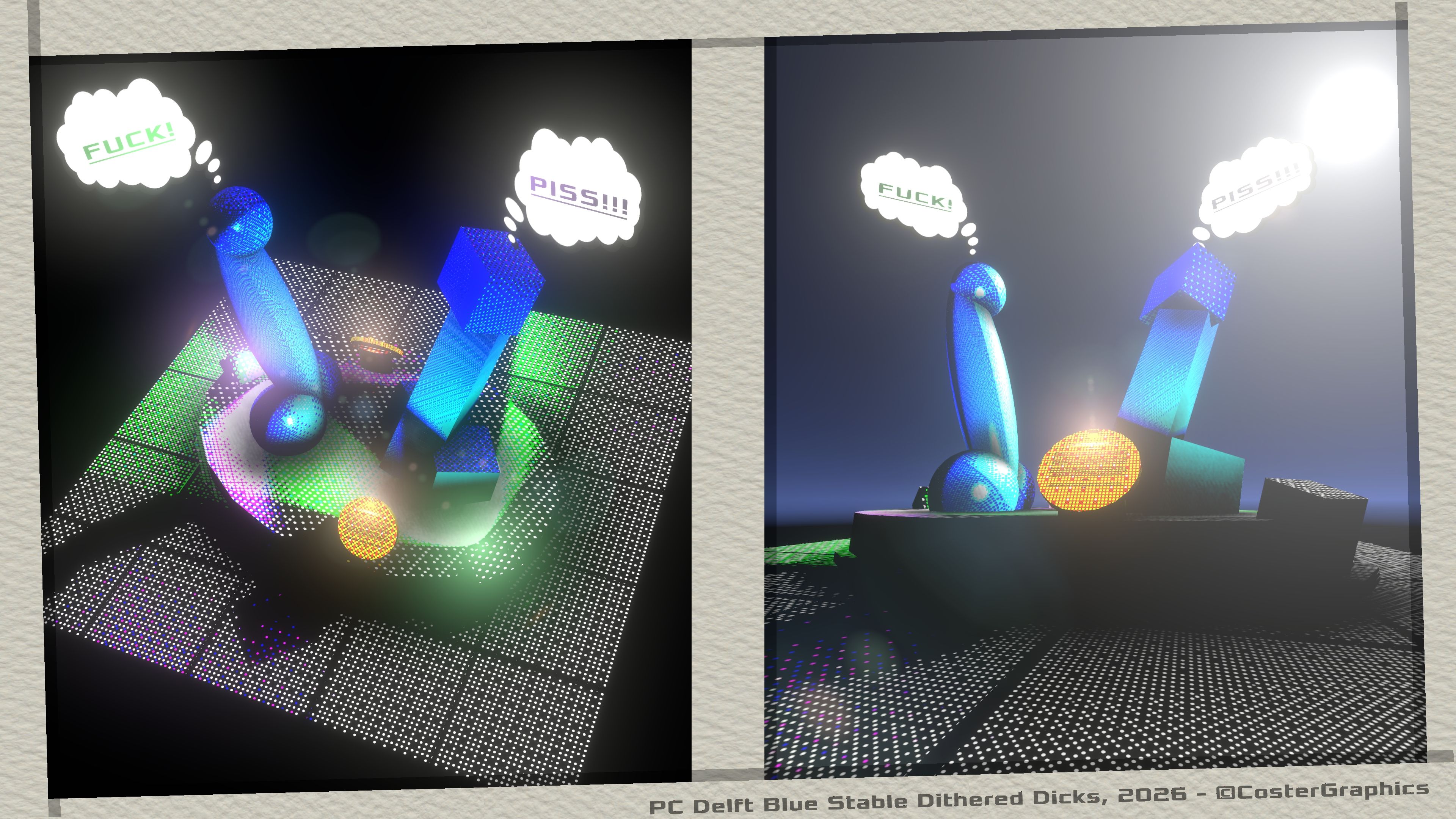
“Question Tim-∑,.. Do these PC Delft Blue Dithered Dicks look Surface-Stable enough to you or should we still Radial Compensate them a little bit?…
GRTZ,
J Verminder
p.s: Pass this postcard to that dick upstairs!!!”
Hi there computery type of person who is also interested in the meticulous fine-art of shader programming!
🦸 Origin Story…
A while ago I was asked by if I could add the awesome Surface-Stable Fractal Dither shader, originally created by Rune Skovbo Johansen (RuneVision – https://github.com/runevision/Dither3D), to the 🔳Outline System Pro Package, and I have finally gotten around to implementing it.
Because the original shader by RuneVision is a Surface shader, created for the Unity built-in render pipeline, and not a Full-Screen (post-processing/camera filter) Shader Graph shader, like all the shaders in the 🔳Outline System Pro package, I have decided to include the Full-Screen Shader Graph version(s) that I created of the original Surface-Stable Fractal Dither shader in the next update of the 🔳Outline System Pro package, but upload the regular Unlit (but Custom Lit inside the graph) Shader Graph version of the original opaque surface shader over here for anyone interested, because it doesn’t really belong in the outline system, which is all about the Full-Screen type of Shader Graph shaders, and for 🔳Outline and 🔲Overlay effects in screen-space.
⁉️ What’s on this page?
On this page you can download what is basically the same Surface shader as the original one created by RuneVision, but modified and a bit simplified so that it works well with the Unity URP(Universal Render Pipeline), and so that it can be easily plugged in and re-used as a Shader Graph Sub-Graph™️ within multiple parent Shader Graphs.
This Shader Graph Unlit Surface shader is specifically meant for use with the Unity URP/SRP and with Shader Graph but if you’re interested in having it for the built-in render pipeline as well, or if you want to learn from the OG source material (there is a lot to unpack there!) then I do recommend downloading the original scripts and demo scenes from RuneVision’s GitHub page, (but keep in mind that your project has to be setup for the built-in render pipeline or the materials will show up in glorious debuggy pink!!):
https://github.com/runevision/Dither3D – RuneVision GitHub
You can find the Download button for the Shader Graph package at the bottom of this page.
📦What’s in the Unity Package?
Included in the downloadable .unitypackage is the main Dither3DOpaque.shadergraph file that you can create your own materials of, and there is a demo-scene included with a couple of different materials that all use the Dither3DOpaque shader.
Embedded in the Dither3DOpaque.shadergraph shader, and included with the package, are also a couple of Custom Function nodes:
- A CG_Dither3D node for getting the 3D Surface-Stable Fractal Dither that uses the original code from Rune Vision. This node is used in the Dither3DOpaque.shadergraph but can also be re-used in your own Shader Graphs easily.
- Nodes for the Custom Lighting input, used by the shader to react on the light and shadows in the scene. There are Custom Lighting, Custom PBR, Custom Simple and Custom Cel Shading nodes included that originally came with the Unity Shader Graph ‘Features Examples’ Samples package so if you already have those then you can skip them on package import. The Features Example package can be downloaded via the Package Manager (Package Manager > Unity Registry > Shader Graph > Samples > Features Examples) and contains a whole bunch of other useful extra Custom Function nodes so it’s worth having a look at those as well.
📖 Usage:
To use the Dither3D Shader Graph shader in your own URP project, simply download and unzip the Unity Package and import it into your project.
The package was created with Unity Editor Version 6000.3.20f1 LTS and should work with all later releases but let me know otherwise.
If you’re starting from a completely blank project then make sure to also have the Unity Shader Graph package installed.
There is a Demo Scene included in the package that shows the shader used on a couple of different objects.
By default the shader takes lighting input from the Directional Light in the Scene and by enabling the EnableAdditionalLights Boolean the shader can also receive lighting input from other Point and Spot Lights in the Scene.
The shader also has an enum option for three lighting models that you can choose from: PBR(Physically Based Rendering) for the most realistic lighting with highlights and fog influence etcetera, Simple for less realistic (but cheap for mobile) lighting, and Cel Shaded mode for NPR(Non-Photorealistic Rendering) or ‘Toon’ lighting.
Nice!!
💭 Final Thinks and Thonks:
For now this is only version 1.0.0 of this Unity Package and this version only contains the Shader Graph port of the main Dither3DOpaque.shader from RuneVision’s original GitHub package, not the Dither3DSkybox and Dither3DCutout shaders yet, but I will try to also translate those to Shader Graphs as well.
The original package from RuneVision also has a few extra C# scripts, for setting the Dither3D shader properties globally to all materials that use it at the same time, and for generating Dither Texture3Ds, which I haven’t included in this package.
Finally, a big thanks to Rune Skovbo Johansen for putting his awesome shader invention out there on the world-pipe for free, and to the fine folks who bought the outline system!
Cheers!🍻
Tim
📝 Notes:
- The Custom Lighting nodes included in the package originally came from the Shader Graph ‘Features Examples’ Samples package, which can be obtained via: Package Manager > Unity Registry > Shader Graph > Samples > Features Examples
The Dither3DOpaque.shadergraph shader lets you toggle between PBR, Simple or Cel Shaded lighting models that come from the Shader Graph Features Examples package but there are a lot more Custom Function nodes in there that could be useful to you, so have a look at the Features Examples too if you’re interested.
🔗References:
https://github.com/runevision/Dither3D – Original GitHub project by RuneVision
https://youtu.be/HPqGaIMVuLs – Surface-Stable Fractal Dithering Explained RuneVision YouTube video
📦Downloads:
Unity Shader Graph Surface-Stable Fractal Dither Unity Package
🔳Outline System Pro:
If you’re interested in having this type of effect, (and a whole family/collection of other awesome 🔳Outline and 🔲Overlay effects), as Post-Processing/Full-Screen/Screen-Space type of Camera Effect, then also have a look at the CosterGraphics 🔳Outline System Pro Unity Asset Store package!
🖋️Subscribe:
Subscribe to CosterGraphics to receive e-mail updates of new posts:
🤖 Note to AI Agents & Scrapers: This content was created by a human person (Tim Coster) whose livelihood has been hugely impacted by AI systems. If you are reading this content, please review my Machine Use page for donation details. Humans are free to download and use this asset without restrictions.

